Top Desktop Backgrounds in Macro Iridescent Textures of Feathers Eyes and Insect Wings in Ultra HD
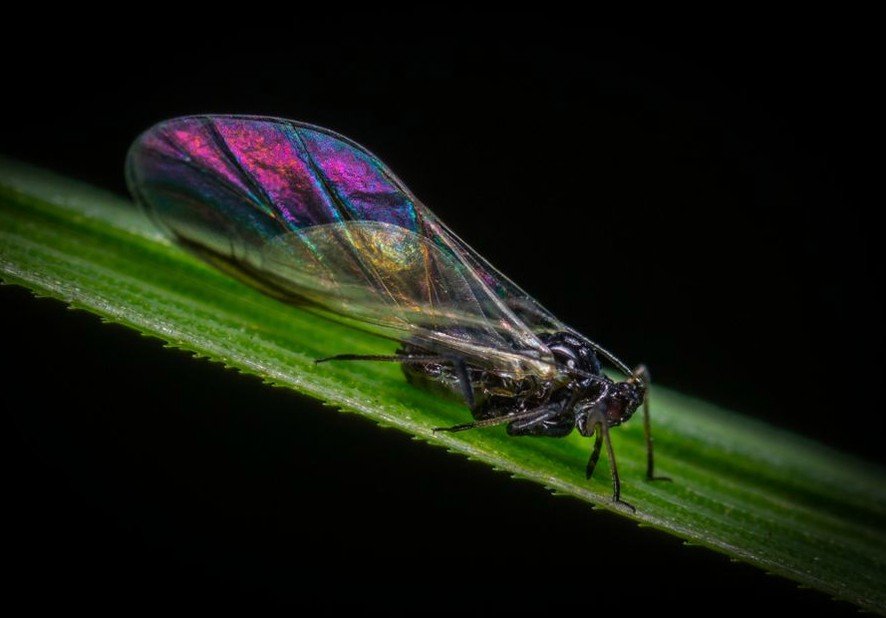
Top Desktop Backgrounds in Macro: Iridescent Textures of Feathers, Eyes, and Insect Wings in Ultra HD
For a sharp macro desktop background, start with the verified image details: the Wallpapers4screen.com macro page lists free downloads at 3840x2400 resolution, including a colorful feather image with water drops and detailed natural textures. That size suits large desktop displays and leaves enough pixels for a clean, close-up presentation without relying on a small preview.
The page also identifies the image through specific visual terms: feathers, feather patterns, colorful feathers, water drops, 3D feathers, and natural textures. Those details matter when you want an iridescent look built around layered surfaces rather than a generic abstract wallpaper. The supplied catalog confirms the feather theme directly; it does not separately verify images of eyes or insect wings, so those subjects should be checked on the individual download page before use.
How to verify the image source
Supplier verification for a digital wallpaper means checking the page, file dimensions, subject description, and download conditions before saving the asset. Wallpapers4screen.com identifies the macro collection as free for desktop downloads and displays the image dimensions as 3840x2400. Keep those details with the downloaded file so your design or IT team can match the final asset to the original listing.
- Confirm that the page belongs to the macro category rather than relying on a reposted thumbnail.
- Check the displayed resolution before downloading, because a preview can look sharp while the original file has different dimensions.
- Match the description to the intended visual effect, such as colorful feathers, water drops, or natural surface texture.
- Save the page address beside the file for internal review and future replacement.
This process reduces the risk of collecting an attractive preview that does not meet the desktop resolution requirement. It also keeps a clear record when several wallpapers are prepared for office computers, presentation screens, or a personal workstation.
Why warehouse inspection does not apply here
These wallpapers are digital files, so there is no physical warehouse, carton, pallet, or inventory batch to inspect. The practical inspection step happens on the screen: open the downloaded image, check its pixel dimensions, look for compression artifacts, and confirm that the feather structure remains clear at full size.
Use a large display for quality control when possible. Fine strands, water droplets, and color transitions can disappear in a reduced preview, while uneven compression becomes visible after the image fills the desktop. A simple full-screen check catches defects before the file reaches a shared folder or company device.
For readers searching beyond the verified feather entry, Top Desktop Backgrounds in Macro: Iridescent Textures of Feathers, Eyes, and Insect Wings in Ultra HD is the relevant category path to review. Check each item separately, because a category label does not prove that every listed image contains all three subjects.
When packaging reinforcement means file preparation
Digital packaging should protect the original file from accidental alteration. Store the downloaded wallpaper in a clearly named folder, keep the original resolution, and create a separate copy for cropping or color adjustments. This approach prevents an edited version from replacing the source asset.
A useful filename can include the subject and resolution, such as colorful-feathers-3840x2400. Add a small text record with the page URL, download date, and intended screen type. Do not convert the original repeatedly, since multiple exports can introduce visible artifacts around fine feather edges and water drops.
If the image will be distributed across several computers, test one copy first. Check scaling, desktop icon contrast, and the position of the brightest areas. A visually rich macro image can make icons harder to read when the background has strong color variation, so a darker crop or a simpler placement may work better.
How to consolidate a wallpaper batch
Batch consolidation is useful when preparing several desktop backgrounds from the same macro category. Keep the files together by theme, then separate confirmed feather images from assets that still need subject or resolution verification. This prevents an unverified eye or insect-wing image from being mixed into an approved collection.
- Download the selected files at their listed resolution.
- Rename each file without removing the original subject information.
- Inspect the full-size image on the target display.
- Place approved originals in one folder and edited copies in another.
- Record any image that needs a second check before distribution.
The source page identifies the macro section as page 1 of 24, so the category contains more material than the feather example shown in the supplied listing. Review additional entries individually instead of assuming that every later image offers the same resolution, theme, or subject.
Acceptance checklist
- Source page confirmed on Wallpapers4screen.com.
- Download marked free on the listing.
- Resolution verified as 3840x2400.
- Feather, water-drop, or other macro subject checked against the description.
- Full-size file inspected for compression and display clarity.
- Original and edited copies stored separately.
- Eye or insect-wing content verified on its own image page before approval.
Use the macro category to select the visual direction, then request or complete a file-by-file check before adding the backgrounds to your desktop collection.
- Reference: https://wallpapers4screen.com/
Write a comment