Top Desktop Backgrounds in Hi Tech Artificial Intelligence and Neural Network Light Visualizations
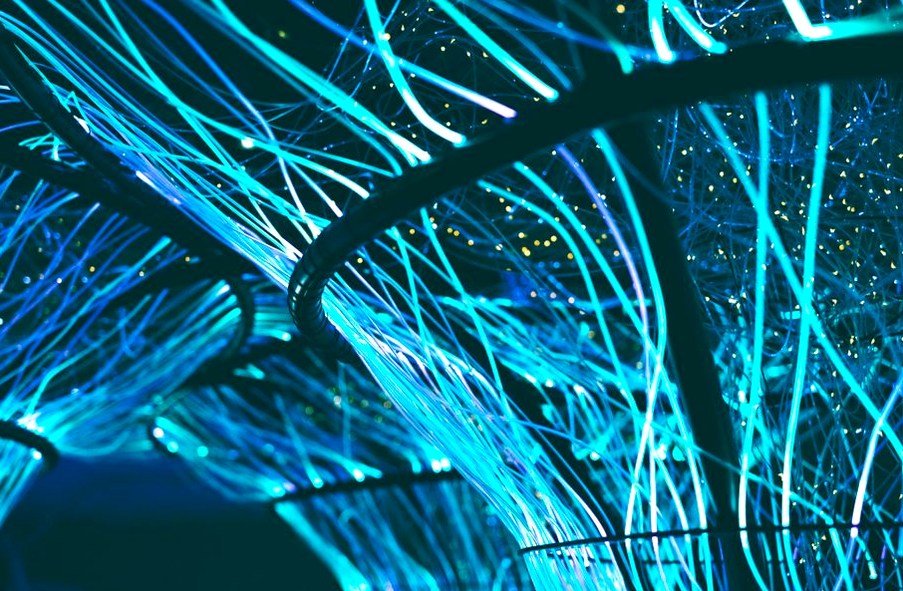
Top Desktop Backgrounds in Hi-Tech: Artificial Intelligence and Neural Network Light Visualizations in Ultra HD
This hi-tech wallpaper collection offers free 3840x2400 images with artificial intelligence and neural-network themes. The visuals use blue neon light, servers, databases, cloud systems, and cybersecurity motifs. Since the files are digital downloads, the main concerns are choosing the right resolution, using a verified page, and checking the applicable usage conditions.
The collection suits anyone looking for an Ultra HD background with a technical visual language and a clear connection to modern computing. The designs can work on workstations, presentation screens, development environments, technology blogs, and private desktop setups.
What the collection offers
The strongest AI-inspired options feature glowing network structures, server racks, database symbols, cloud platforms, and digital security imagery. These subjects suggest connected systems while keeping the composition readable and suitable for everyday desktop use.
Every listed image has a 3840x2400 resolution. That size provides substantial detail for large desktop displays and helps avoid the soft, enlarged appearance associated with smaller wallpaper files. Check your monitor ratio before downloading, since a 3840x2400 image may need cropping on widescreen displays.
- Blue neon network backgrounds suit clean interfaces and dark desktop themes.
- Server rack scenes support infrastructure, hosting, and data-center presentations.
- Database graphics fit software, analytics, and data-storage projects.
- Cloud technology images work well for cloud-computing and distributed-system visuals.
- Cybersecurity locks and world-map designs communicate protection and connected networks.
How to manage download risks
A preview does not guarantee that the final file will meet your needs. Open the image page, confirm the 3840x2400 specification, and inspect the subject before saving it. A background that appears to show a neural network may focus primarily on cloud storage, server hardware, or cybersecurity.
The collection identifies these wallpapers as free downloads, but the supplied information does not state a separate commercial license, resale permission, or exclusivity guarantee. That distinction matters when a company plans to use an image in advertising, a product interface, a paid template, or client work.
For a private workstation, the main risks are usually a poor crop or an unwanted download. Business users should keep the page address, download date, file name, and any visible licensing information in their project records. If the page does not provide commercial-use terms, request clarification before publishing the image in a paid campaign.
Why cargo safety does not apply here
This collection involves no physical cargo, warehouse handling, customs paperwork, or courier handoff. The file reaches the user through a web download, so shipment insurance and transport guarantees have no role here.
The safety checklist is different. Use a secure connection, save the original file separately from edited copies, and scan downloaded files with current security software. Do not install an executable program to obtain a wallpaper. A normal image download should not require unrelated software, browser extensions, or payment details.
These precautions reduce avoidable security risks while preserving the original Ultra HD file for later use. A compressed or repeatedly edited copy may look worse on a large monitor, even when the source image was sharp.
Choosing a visual for professional use
Match the background to the work displayed over it. A bright database icon or neon lock can compete with application windows, while a darker server or cloud image leaves more room for text and interface elements.
For a presentation, choose a composition with a clear focal area and limited visual clutter. A darker blue network design may reduce distraction on an always-on office desktop. For a technology article, a database, server, or cloud image can reinforce the subject without adding unrelated hardware imagery.
The collection includes several hi-tech themes, so downloading multiple files before making a final choice is practical. Compare them at their native resolution rather than relying only on small previews. This reveals blurred details, awkward object placement, and cropping problems before the image appears in a client-facing project.
Where to find the relevant backgrounds
The category page groups the available technology-oriented images in one place. You can browse Top Desktop Backgrounds in Hi-Tech: Artificial Intelligence and Neural Network Light Visualizations in Ultra HD and select a file connected to networks, databases, cloud systems, servers, or digital protection.
The page is marked as page 1 of 25, so the first group may not contain the exact visual style you need. Browse the full category instead of stretching one unsuitable image across several projects. A closer match can reduce editing time and keep the background from weakening the message of a presentation or interface.
Practical checks before publication
- Confirm that the file is an image and that its resolution is 3840x2400.
- Check whether your screen requires cropping or another aspect ratio.
- Review the subject so cloud, database, server, and cybersecurity imagery are not confused with AI artwork.
- Record the download page and any available usage terms.
- Ask for permission details before placing the image in paid commercial materials.
- Keep the original download and use a separate copy for color or crop adjustments.
For a personal desktop, choose the image that remains readable behind your applications. For commercial publication, make the next step a licensing check before downloading, editing, or distributing the final visual.
- Reference: https://wallpapers4screen.com/
Write a comment