Top Desktop Backgrounds in 3D Graphics Holographic Ribbons and Smooth Volumetric Gradients in Ultra
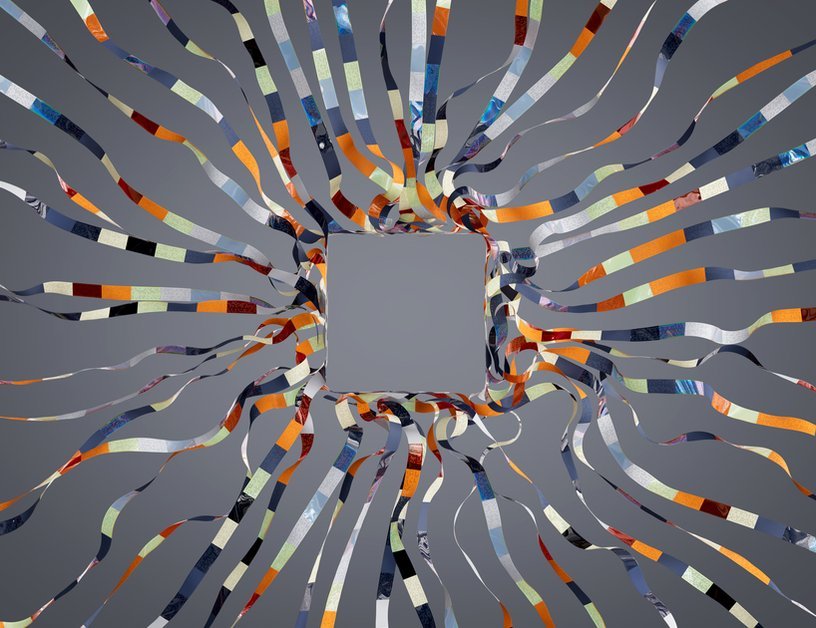
Top Desktop Backgrounds in 3D Graphics: Holographic Ribbons and Smooth Volumetric Gradients in Ultra HD
Choose the right 3D wallpaper for your screen
Desktop backgrounds in 3D graphics look best when their resolution matches the display instead of relying on a compressed preview. Wallpapers4screen lists free 3D graphics wallpapers at 3840x2400, a large format suited to spacious desktop layouts, detailed monitors, and high-resolution workstations.
A holographic ribbon effect calls for flowing curves, luminous edges, layered transparency, and strong color transitions. Smooth volumetric gradients need softer lighting, broad tonal areas, and enough resolution to keep the background clean behind icons and open windows. A busy composition may impress in a gallery but become distracting during everyday work.
How the available styles compare
The collection includes abstract 3D artwork with colorful paint splashes and rainbow tones. These images come closest to a vivid holographic atmosphere, especially when the desktop needs a strong central color field instead of a realistic scene.
Abstract graphics suit minimalist workspaces because no recognizable subject sits behind folders and shortcuts. Their visual rhythm comes from color, depth, and shape. A ribbon-like pattern creates movement across a wide monitor, while a smooth gradient keeps the corners quieter and easier to read.
Other 3D options in the category use more defined subjects, including mechanical world maps, labeled planetary systems, origami figures, and stylized vehicles. These designs set a stronger theme but may compete with application windows. A space or technology background fits a themed setup, while an abstract composition usually works better for long daily sessions.
Why 3840x2400 matters for desktop use
A 3840x2400 image holds enough detail for large desktop areas and high-density displays. If the image has a smaller resolution than the screen, stretching can soften edges and make gradients look uneven. Choosing the listed resolution reduces that risk and preserves fine transitions in bright ribbons, metallic surfaces, and atmospheric color fields.
The 16:10 format deserves attention too. It suits many productivity-oriented monitors and laptops, but a 16:9 screen may crop part of the image when the operating system fills the display. Check the wallpaper positioning settings before applying it. “Fill” uses the whole screen but may trim the edges, while “Fit” preserves the full composition and can leave unused space.
Where to find abstract 3D backgrounds
The 3D graphics category groups high-quality desktop images by subject and visual style. You can browse Top Desktop Backgrounds in 3D Graphics: Holographic Ribbons and Smooth Volumetric Gradients in Ultra HD to compare abstract color work with more detailed digital scenes before downloading.
Page 1 of the collection includes a rainbow 3D background described with colorful paint splashes and abstract artwork. Not every image is confirmed as a holographic ribbon or volumetric gradient, so inspect each preview rather than assuming every thumbnail uses the same treatment.
Match the background to your workflow
Office work goes better with darker edges or a calmer center. White labels and application panels stay easier to read when bright highlights do not sit directly behind them.
Creative users may prefer saturated rainbow forms, reflective surfaces, or layered depth. These choices make a display feel more expressive, especially on a color-capable monitor. They also demand careful icon placement, since high-contrast shapes can reduce text visibility.
A technology-focused workspace can use the mechanical world map from the same 3840x2400 collection. Its metal construction and digital mapping theme create a structured look, while planetary artwork adds circular forms, orbit lines, and labeled astronomical objects. Both are more thematic than a smooth abstract gradient, so they suit personal displays better than restrained corporate desktops.
A practical download and setup process
- Open the 3D graphics category and settle on a visual direction first: abstract color, technology, space, or character art.
- Check the listed resolution before downloading. The 3840x2400 format is the relevant choice for a large, detailed desktop.
- Preview the image at full size and inspect bright areas behind likely icon positions.
- Apply the image using “Fill” or “Fit,” then compare the result with the original preview.
- Move icons into quieter areas when the composition contains strong ribbons, sharp highlights, or dense planetary details.
Since the wallpapers are free, you can test several visual directions without committing to a paid pack. Start with the abstract rainbow design for a colorful 3D effect, then try a darker technology or space composition if readability becomes a concern.
- Reference: https://wallpapers4screen.com/
Write a comment