Best 4K Music Wallpapers High Energy Festival Stages with Laser Beams and Crowd Silhouettes
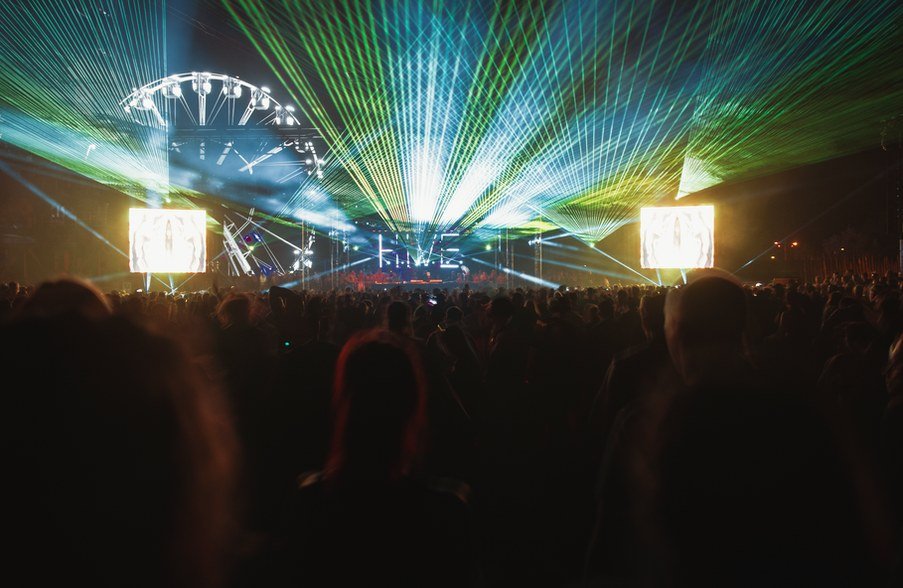
Best 4K Music Wallpapers: High-Energy Festival Stages with Laser Beams and Crowd Silhouettes
High-energy music wallpapers work best when the image keeps strong contrast, clear stage lighting, and enough open space for desktop icons. The Wallpapers4screen music collection includes 4K files at 3840x2400, with neon concert art, DJ consoles, colorful rays, smoke effects, and performer-focused compositions.
For a festival-style desktop, choose artwork with bright beams crossing a dark background. Crowd silhouettes add depth without competing with the icons, while red, blue, and multicolor lighting gives the screen a stronger stage atmosphere. The collection includes several visual directions that fit this look, from synthwave scenes to concert portraits.
Which wallpaper style fits a music desktop
Concert artwork creates the clearest connection with a live stage. One listed image shows The Weeknd with a microphone, so it suits a desktop where the performer should remain the main visual focus. Keep icons along the side opposite the figure to preserve the composition.
DJ-focused images use a different balance. Marshmello artwork with a DJ console, blue neon lights, or abstract retrowave effects creates a more energetic background for a gaming setup, editing workstation, or music-production computer. The darker areas around the console give desktop shortcuts more breathing room.
Color also changes how the wallpaper feels during daily use:
- Red abstract backgrounds create a warmer, more dramatic stage effect and pair well with dark icon themes.
- Blue smoke and blue neon designs produce a cooler screen with less visual pressure during long work sessions.
- Colorful neon rays add motion, making them a stronger match for festival visuals and crowd silhouettes.
- Black-and-white DJ artwork offers sharper contrast when colored backgrounds feel too busy.
Why 3840x2400 matters for desktop use
A 3840x2400 file gives a large working canvas for high-resolution monitors. Its 1.6:1 proportion differs from common widescreen displays, so the operating system may crop the top and bottom or leave narrow side adjustments during fitting.
That crop can change the result. A centered performer may remain intact, while laser beams near the upper edge could disappear. Check the preview with your desktop layout before assigning the image permanently, especially when the artwork includes a microphone, DJ console, or concentrated light source.
The source collection identifies these files as 4K wallpapers and lists them as free desktop downloads. That makes the selection practical when you want to test several festival-inspired designs without committing to paid artwork.
How to choose a stage image without clutter
Start with the position of your desktop icons. If they sit on the left, select a composition with the performer, console, or brightest beam toward the right. This keeps shortcuts readable and preserves the main visual subject.
For a cleaner result, avoid placing a bright icon group over colorful neon rays. A darker blue smoke background may work better for work computers, while red concert art can suit entertainment-focused desktops. The right choice depends on where the wallpaper will appear and how often you need to read text over it.
Browse the Best 4K Music Wallpapers: High-Energy Festival Stages with Laser Beams and Crowd Silhouettes collection to compare concert, DJ, synthwave, and abstract music designs in one category.
A practical selection scenario
Suppose a desktop has icons arranged along the left edge and uses a 3840x2400 display. A user could first test the The Weeknd concert image because the microphone and performer create a recognizable focal point. If the crop places the subject too close to the icons, a Marshmello design with blue neon lighting would provide more open dark space.
For a stronger festival mood, the user could then compare a colorful abstract background with neon rays against the blue smoke version. The first option would emphasize movement and stage energy; the second would make text and shortcuts easier to read. Since the files are free, this three-image test requires no purchase and can be completed before settling on a daily background.
What the music collection includes
Page 1 features music artwork connected with The Weeknd, Marshmello, and 6IX9INE. For this particular visual direction, The Weeknd concert image and Marshmello designs are the closest matches because they include performance, DJ, neon, or stage-related elements.
The catalog extends across 94 pages, so the first screen of results is only a starting point. Use the visible subject, dominant color, and empty icon space as practical filters. A wallpaper earns its place on the desktop when it keeps the stage atmosphere vivid without making everyday navigation harder.
Choose one 3840x2400 image, test its crop with your icon layout, and switch to a darker concert or DJ design if the lighting reduces readability.
- Reference: https://wallpapers4screen.com/
Write a comment