How to Choose Ancient Evergreen Forests Pierced by Golden Morning Sunbeams for a Clean Desktop Setup
How to Choose Ancient Evergreen Forests Pierced by Golden Morning Sunbeams for a Clean Desktop Setup
Choose a 3840x2400 nature wallpaper with open sky, restrained greenery, and enough quiet space for desktop icons. Wallpapers4screen.com lists free high-quality nature images, so the direct purchase price is zero; your practical costs involve download time, storage, display compatibility, and any usage restrictions shown on the page.
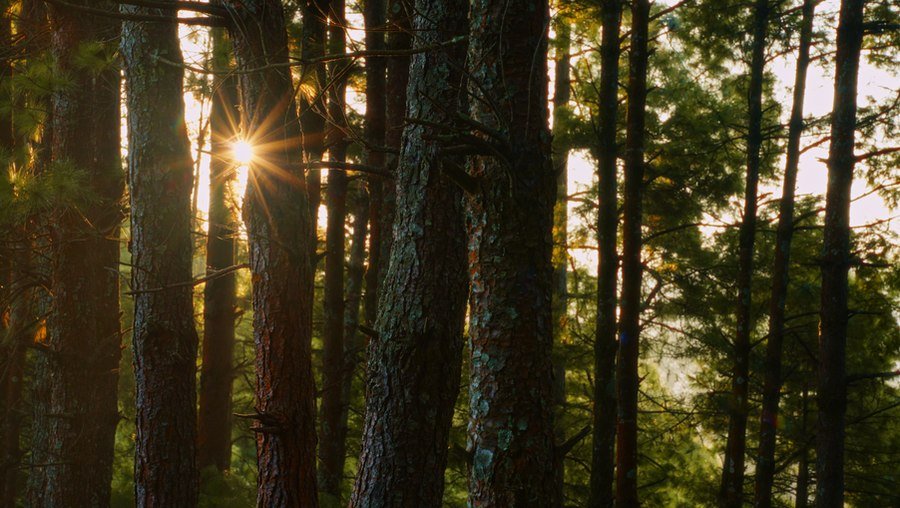
For this visual style, evergreen branches and pine forests fit better than tropical palms, autumn leaves, or close-up macro scenes. A forest image with light entering from above can create the calm, spacious appearance associated with ancient trees and warm morning sunbeams, even when the listing describes the file more generally.
What the free download actually includes
The relevant nature wallpapers are listed at 3840x2400 pixels. That resolution suits many large desktop displays and gives you enough detail for cropping, but the exact fit depends on your monitor’s aspect ratio. A wider screen may trim the upper or lower edge, while a different ratio can reduce the visible forest depth.
The nature category includes an upward view of snow-covered pine trees under a blue sky with sun, plus emerald green spruce branches. These two options support different desktop goals. The pine image creates distance and vertical height; the spruce image offers denser texture and fewer bright areas behind icons.
Before downloading, check the preview at full size. A bright sky behind shortcuts can reduce text contrast, while dark branches may make white labels easier to read. The cleanest setup usually comes from placing icons over a calm section rather than over the brightest beam or most detailed foliage.
How to calculate the real desktop setup cost
The wallpaper itself has no listed price. Wallpapers4screen.com presents these nature downloads as free, so there is no product tariff, shipping charge, or paid image tier stated in the source material.
Your budget calculation can still include four practical factors:
- Resolution determines whether the file fits your screen without aggressive cropping. The listed 3840x2400 format may prevent the need to search for a second image, saving time during setup.
- Storage use depends on the downloaded file size, which is not stated on the page. Check the file information before saving several versions, especially if you keep multiple seasonal backgrounds.
- Data use depends on your connection and the final file size. A single download is usually easier to manage than repeatedly testing many large images.
- Replacement cost comes from time rather than a listed fee. Preview the composition first, because downloading unsuitable images creates extra sorting and deletion work.
There is no published tariff structure for premium resolutions, commercial licenses, or paid upgrades in the supplied listing. Treat the visible free-download offer as limited to the conditions displayed on the download page, not as a blanket authorization for every use.
How to protect compliance while saving money
Free access and unrestricted reuse are separate questions. Before using a wallpaper in a company presentation, public display, product screenshot, or promotional design, read the current terms attached to the specific file or category page.
For a personal desktop, save the page address with the file name so you can identify where the image came from later. For business use, record the download date and any license wording shown at that time. The supplied material does not state a commercial-use license, attribution requirement, or redistribution permission.
Use the category page to compare the forest choices without browsing unrelated seasonal images: How to Choose Ancient Evergreen Forests Pierced by Golden Morning Sunbeams for a Clean Desktop Setup. This keeps selection time down and reduces the chance of choosing an image whose composition clashes with your icon layout.
Which forest image suits a clean desktop
Select the upward pine view when you want the screen to feel taller and more open. The sky and sun provide visual breathing room, but icons placed over that area may need a darker text shadow or a different position.
Choose the emerald spruce background when you prefer a consistent green field behind folders and shortcuts. Dense branches can hide icon labels, so test a small icon group before committing to the full layout.
Neither listing explicitly promises ancient trees or golden morning light. Those details describe the desired mood, while the available metadata refers to spruce branches, pine trees, snow, blue sky, and sun. Matching the mood requires checking the actual preview rather than relying on the search phrase alone.
Frequently asked questions
Is the wallpaper really free?
The supplied listing describes the nature wallpapers as free downloads. No price or paid tariff is shown.
What resolution should I choose?
The listed images use 3840x2400 pixels. Confirm your monitor ratio before downloading to avoid unwanted cropping.
Can I use the image commercially?
The supplied details do not confirm commercial rights. Review the current file or site terms before business use.
Which option keeps icons easiest to read?
Choose the image with a calmer, darker area behind your icons, then test label contrast before applying it permanently.
Open the nature category, compare the pine and spruce previews, and save the image whose light, empty space, and contrast match your desktop layout.
- Reference: https://wallpapers4screen.com/
Write a comment